

Choosing the right wireless mouse can make a huge difference in your daily productivity, gaming performance, and overall comfort — whether you’re working from home, gaming late at night, or just tired of tangled wired mice. We’ve rounded up 5 of the best options available right now, covering everyday office use, budget-friendly picks, and serious gaming performance. Let’s dive in!
1. Acer Wireless Mouse for Laptop – Best Budget Office Mouse
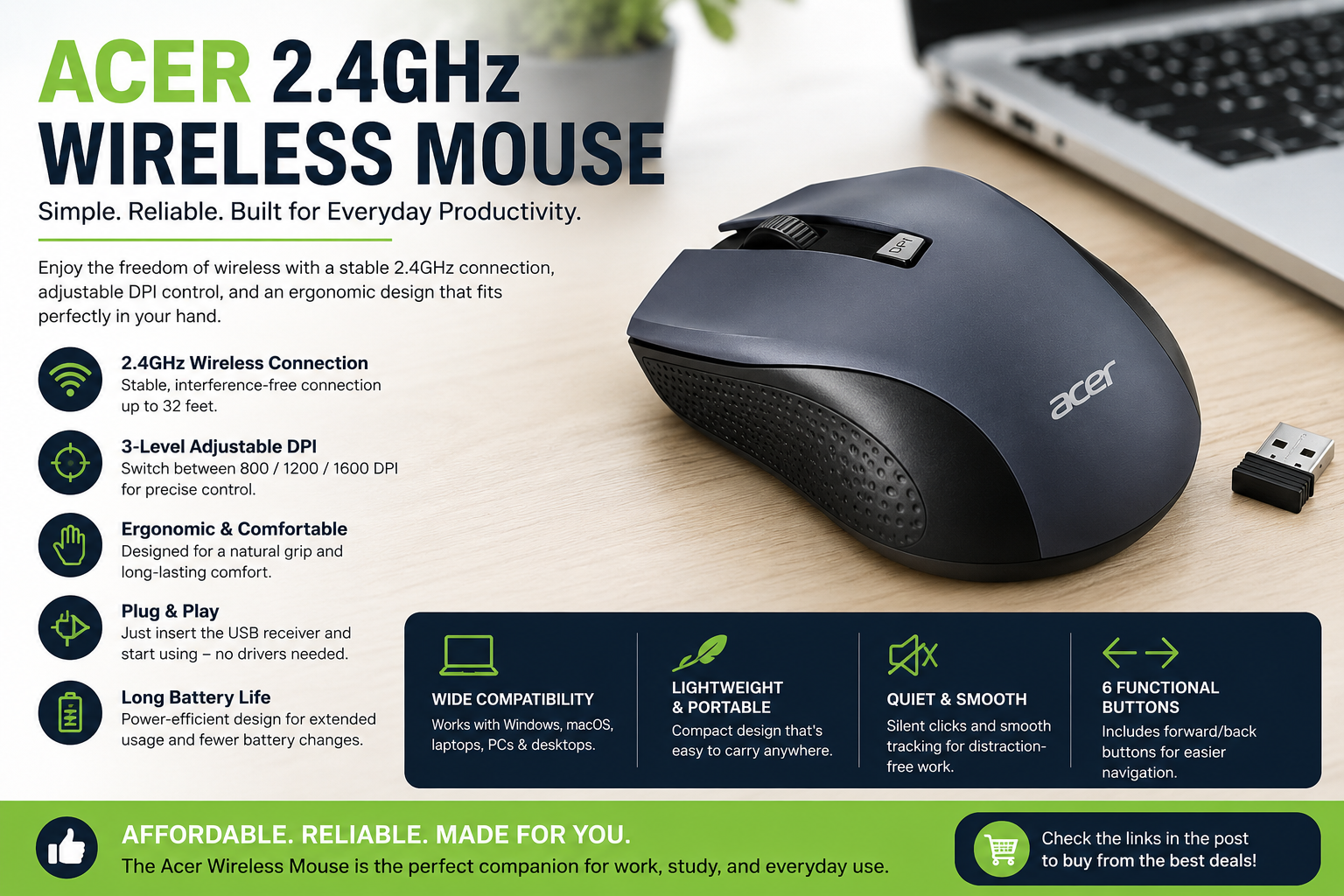
If you’re looking for a reliable, no-fuss wireless mouse for everyday office or study use, the Acer Wireless Mouse is a fantastic budget pick. It connects via a 2.4GHz USB-A receiver for a stable, lag-free connection, and offers 3 adjustable DPI settings (up to 1600 DPI) so you can switch between precision work and fast navigation with a single click.
With 6 programmable buttons, an ambidextrous, ergonomic design built for medium to large hands, and full compatibility with PC, laptop, and desktop setups, this mouse checks all the boxes for comfortable all-day use without breaking the bank. It’s a smart choice for students, remote workers, or anyone who wants a dependable cordless mouse without paying premium prices.
Best for: Everyday office/study use, budget buyers, laptop users.
2. Logitech M185 Wireless Mouse – Best for Reliability & Battery Life
The Logitech M185 is one of the most trusted names in wireless mice — and for good reason. It pairs instantly via a plug-and-play USB mini receiver and delivers smooth 1000 DPI optical tracking for accurate cursor control on almost any surface.
What really sets this mouse apart is its incredible 12-month battery life, meaning you can practically forget about replacing batteries for a year. Its ambidextrous design fits comfortably in either hand, and it works seamlessly across PC, Mac, and laptops. If you want a mouse that “just works” every single day without any hassle, the M185 is hard to beat.
Best for: Reliability seekers, long battery life, cross-platform users (PC/Mac).
3. Logitech G305 Lightspeed Wireless Gaming Mouse – Best for Gaming Performance
For gamers who refuse to compromise on speed, the Logitech G305 Lightspeed is a top-tier choice. Powered by Logitech’s advanced HERO sensor, it delivers up to 12,000 DPI with pinpoint accuracy and zero smart-shift lag, giving competitive gamers the responsiveness of a wired mouse — without the wire.
It’s incredibly lightweight, making fast flick-shots and quick reflex movements effortless, and comes packed with 6 programmable buttons for custom keybinds. With up to 250 hours of battery life and on-board memory to save your settings across devices, this mouse is built for gamers who play hard and don’t want to worry about constant charging.
Best for: Competitive gamers, FPS/MOBA players, PC and Mac gamers.
4. Redragon M612 Predator RGB Gaming Mouse – Best for Customization & RGB Lovers
Note: this is a wired gaming mouse, but it earns its spot on this list for sheer value and customization — a great option if you don’t mind a cable in exchange for top-tier specs at a lower price.
The Redragon M612 Predator is a favorite among budget gamers who still want a premium feel. It features an 8000 DPI optical sensor, 11 fully programmable buttons, and 5 stunning RGB backlit modes to match your setup. With dedicated software support, you can create custom keybinds and even set up rapid-fire functions for a serious competitive edge.
If you want maximum customization, striking RGB aesthetics, and gaming-grade precision without spending a fortune, the M612 Predator delivers outstanding value.
Best for: Budget gamers, RGB enthusiasts, players who want deep customization.
5. Acer Wireless Mouse for Laptop – Great Everyday Backup/Second Pick
Rounding out our list is another excellent pick from Acer — same trusted 2.4GHz wireless connectivity, 3 adjustable DPI levels up to 1600 DPI, and a comfortable 6-button ergonomic design suited for medium to large hands. It’s a great option if you’re looking for a second mouse for your home setup, a spare for travel, or simply want the same dependable performance at an affordable price.
Compatible with PC, laptop, and desktop devices, this is a solid grab-and-go choice for anyone who values simplicity and comfort over flashy extras.
Best for: Spare/backup mouse, home + travel setup, budget-conscious buyers.
Final Verdict
- Best Overall Budget Pick: Acer Wireless Mouse
- Best for Reliability & Battery Life: Logitech M185
- Best for Serious Gaming: Logitech G305 Lightspeed
- Best Value Gaming (Wired): Redragon M612 Predator
- Best Backup/Second Mouse: Acer Wireless Mouse (2nd link)
No matter your need — office work, gaming, or just a reliable everyday mouse — there’s an option on this list for you. Click the links above to check current pricing and grab the one that fits your setup best!
Disclosure: This post contains affiliate links. We may earn a small commission at no extra cost to you if you purchase through these links.